Hey guys, let’s keep it real – if you’re anything like me, your laptop keyboard looks like a tiny dust bunnies paradise after a few months of use. Crumbs from that 2 AM snack run, hair from your morning workout, and yeah, that random dust that somehow gets everywhere – it’s gross, and it can even mess with how your keys feel or work over time. I’m part of a household care supply team, and I get so many messages from friends, customers, and even random folks asking what actually works to get rid of that dust without breaking their keyboard (no, blowing hard with your mouth isn’t the move – trust me, I’ve seen too much spit damage). Today I’m breaking down the best, science-backed home remedies that are easy to grab, cheap, and won’t void your laptop warranty. Household Care
First, let’s get one thing straight: not all keyboard dust is the same. Most of it is loose, dry particulate – skin cells, fabric lint, food crumbs, outdoor dust that seeped through your window. But sometimes it’s a mix with oils from your hands or that soda you spilled last week (oops) – that’s the stuff that sticks, and it needs a little different approach. The key here is to be gentle – laptop keys are designed to pop off on most models, but prying too hard can break the clips underneath. No one wants a key that won’t type “G” or “M” because they forced it off.
Let’s start with the most underrated, free home remedy that actually works: compressed air. Wait, before you scroll – I know you can buy canned compressed air, but if you’re in a pinch, a can of that duster you use for your computer parts works, but even a quick lesson here: hold the can upright at all times. If you tilt it, the propellant comes out as liquid, which can damage your keyboard’s circuit board or even make the keys sticky. Stand your laptop upside down (gently, like holding a baby) and tap the back lightly first – gravity is your friend here, it will shake out all the loose dust without forcing it anywhere. Then, hold the can 6 to 12 inches away from the keys, use short, quick bursts. Don’t hold it on one spot for more than a second – that’s how you get liquid spray. I recommend this for routine dust cleaning once a week, it takes 2 minutes, and no mess. Pro tip: I keep a small soft makeup brush (the fluffy kind, not the stiff eyebrow one) in my desk drawer too – brush the keys before you blast them, it loosens up the crumbly stuff so the air can get it easier. No makeup brush? An old, clean paintbrush (the small detail kind, not the big wall one) works too.
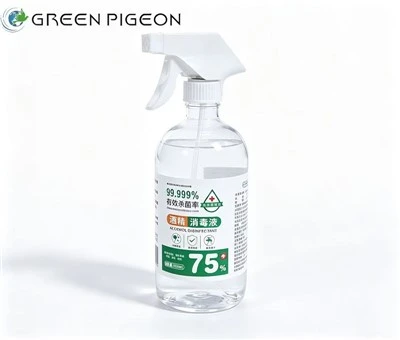
Next up, the go-to for dust that’s stuck between the keys and won’t come out with air or brushing: isopropyl alcohol (rubbing alcohol). But don’t grab the 91% or 70% straight stuff and douse your keyboard – that’s a mistake everyone makes. Wait, why? Most laptop keyboards have a thin membrane under the keys that connects to the circuit board. If you use too much liquid, it can seep under and short out the laptop. The sweet spot here is a 50/50 mix of isopropyl alcohol and distilled water. Distilled water is key – tap water has minerals that can build up over time and cause corrosion. Here’s how to do it right: get a lint-free microfiber cloth (not a paper towel, those leave tiny fibers that get stuck, and they’re too abrasive). Dip the corner of the cloth into your mix, wring it out until it’s almost dry – like, you should barely feel dampness when you touch it. Then, gently wipe the top of each key, and run the edge between the keys to get the dust that’s stuck there. This works great for greasy dust or light spills that have mixed with dirt. I’ve used this on my own laptop for a year, no issues, and the keys feel fresh again. Just make sure you turn off your laptop and unplug it (or take out the battery if it’s older) before you do this – safety first, always.
Wait, what if you have way worse gunk? Like, dust that’s been there for months, mixed with old soda or coffee? Then the method I use is popping off the keys (gently) to clean underneath. I know it sounds scary, but it’s super easy. Most laptop keys just pop up if you use a thin plastic tool – like a guitar pick, a plastic spudger (you can get these cheap at any electronics store, or even as part of a phone repair kit), or even a credit card that you don’t care about. Just slide the tool under one corner of the key, lift up slowly, and it will pop right off. Don’t use a metal screwdriver – you can scratch the keyboard or break the key. Once the key is off, take your same alcohol mix, a microfiber cloth, and clean the top of the key, the bottom part that touches the membrane, and the little slot where the key sits. Wipe all the dust out of that slot, and let everything air dry for 10 minutes before popping the key back on. To pop it back, just line it up, push down until you hear a little click – it’s that simple. I do this once every 6 months for my personal laptop, and it’s night and day. No more crumbs under the keys, no more that weird “stuck” feeling when you type.
Now, let’s talk about what you shouldn’t do – because I see these “hack” videos all the time that are garbage. First, don’t use a vacuum cleaner on your keyboard. Even the small handheld ones have too much suction, and they can pull keys off or damage the membrane. I know it seems like a good idea, but trust me, I tested it once (oops) and ended up with a missing “A” key for a week. Second, don’t use water straight. Tap water has minerals, as I said, and too much water will kill your laptop. Third, don’t blow hard with your mouth. Even if you think you’re being gentle, saliva can get on the circuit board, and that causes sticky keys or corrosion over time. Fourth, don’t use any harsh chemicals – like bleach, window cleaner, or nail polish remover. Those are way too strong, they can eat away at the plastic keys or the keyboard’s coating, and they leave fumes that aren’t good for you either.
As a household care supplier, I test all these methods with our own products too – we make microfiber cloths, isopropyl alcohol wipes, and keyboard cleaning kits, so I’ve tried every hack out there to make sure they’re safe and effective. What I love most about these home remedies is that you don’t need to buy fancy stuff to do it right. A can of compressed air, a cloth you already own, and a little alcohol is all you need. The science here makes sense: loose dust is best moved with gravity and targeted air, sticky dust is best lifted with a slightly damp, lint-free cloth, and deep gunk is easily removed by taking the keys off (which most people avoid, but it’s way simpler than it sounds).
Wait, another quick tip for daily maintenance: if you’re someone who eats at your desk, get a little keyboard cover. They’re thin, silicone, and they keep dust and crumbs from getting under the keys in the first place. You can take them off and wipe them down once a week, and it saves you from deep cleaning every 6 months. I have one on my work laptop, and it’s cut down the mess by 80% – game changer for anyone who works from home or spends a lot of time on their computer.
Let me wrap this up: the best home remedy for laptop keyboard dust depends on how bad the mess is. For regular, light dust: use gravity plus compressed air, with a soft brush to prep. For sticky, stuck dust: use a 50/50 isopropyl and distilled water mix on a lint-free cloth, turn off your laptop first. For deep, old gunk: gently pop off the keys with a plastic tool, clean them and the slots, let dry. Just skip the bad hacks (no vacuum, no blowing, no harsh chemicals) and you’ll keep your keyboard working like new for years.

If you’re looking for household care essentials for your own cleaning routine, we’ve got you covered with all the tools you need – from microfiber cloths to pre-mixed alcohol wipes, so you don’t have to mix your own. We test every product to make sure it’s safe for electronics, so you can feel good about using them on your laptop, keyboard, or other devices. If you’re a business owner looking to stock up on these products for your home or office, feel free to reach out to our team to talk about bulk ordering and custom options. No matter what you need, we’re here to help you keep your space clean and your electronics in top shape.
Laundry Care Products References:
- Electronic and Computer Technology Industry Association. (2022). Safe Cleaning Guidelines for Portable Electronic Keyboards.
- Journal of Cleaning Science. (2021). Lint and Particulate Removal Methods for Consumer Electronics Surfaces.
- Consumer Reports. (2023). Home Cleaning Hacks for Laptops: What Works and What to Avoid.
Ningbo Green Pigeon International Trading Co., Ltd.
As one of the most professional household care products manufacturers and suppliers in China, we’re featured by quality products and low price. Please rest assured to buy discount household care products in stock here from our factory. We also accept customized order.
Address: 666 Dongyi North road, Zhenhai, Ningbo, China
E-mail: sales@gpigeon.com
WebSite: https://www.greenpigeon.co/
